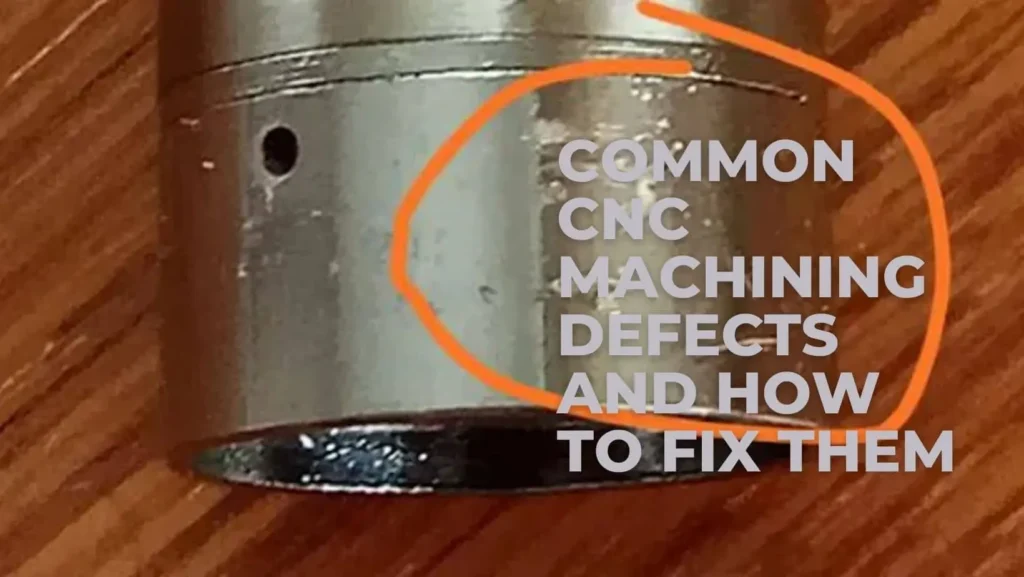
CNC machining is the computer-controlled manufacturing process for making parts. This process is useful for companies that need to cut metal and plastic quickly and with great detail. However, sometimes these errors occur during the cutting process. Errors in the production of CNC parts are referred to as CNC machining defects. This can ruin a whole batch of parts in just a few minutes.
When a part is tainted with bad spots, it cannot be used in cars or planes. That is why it is essential to troubleshoot and resolve CNC machining problems to ensure the business’s success. It is important that every worker knows how to properly maintain the machines. Smart CNC machining troubleshooting benefits a shop to run without any stops.
This guide will help you learn these major concepts:
- CNC mistakes reduce the precision and accuracy of your components.
- Many common CNC problems today are caused by dull, worn tools.
- Small CNC programming mistakes will alter your part’s final shape.
- Machining vibrations can negatively affect the smoothness of the metal.
- The best CNC machining troubleshooting techniques produce a great final product.
- Regular cleaning and checks prevent the occurrence of CNC machining parts defects.
What Are CNC Machining Defects and Why Do They Happen?
A defect is any mistake that makes a part different from the main blueprint design. There are many types of these CNC machining defects. These can be little scratches or big errors. If the machine causes mistakes, the parts will not assemble correctly in the final assembly. This leads to loss of costly materials in factories.
These defects in CNC machining can only be prevented by operators’ careful monitoring of the cutting path. Small movements of just one millimetre can make a giant difference. It is important to be aware of these mistakes to make flawless products daily.
Main Production Causes
Many common CNC problems begin with simple human errors in the machine setup. If the metal is not clamped tightly enough, the part will move during cutting. Other significant problems include using the wrong cutting tool for hard metals.
Many CNC machining parts defects are caused by material issues. Some pieces of steel or plastic have hidden hard spots inside them. The sharp tool can bend or chip when it comes into contact with these areas. Before hitting the start button, make sure your raw materials are correct, your fixtures are secure, and you’ve selected the proper tools to keep production flowing smoothly.

What Are Common CNC Machining Defects and What Causes Them?
Here are some of the most common types of CNC machining parts defects in the actual factory production process. Some alter the appearance of a part, and some alter its strength.
TABLE 1: Common CNC Machining Defects and Causes
Let’s take a quick look at some of the most typical issues workers encounter in the factory:
| Defect Type | Main Cause | Effect |
|---|---|---|
| Surface roughness | Tool wear | Poor finish |
| Chatter marks | Vibration | Noise + inaccuracy |
| Burr formation | Cutting stress | Sharp edges |
| Dimensional error | Programming mistake | Wrong size |
| Tool marks | Improper feed rate | Surface damage |
How Do CNC Programming Mistakes Cause Machining Problems?
When engineers examine these mistakes, they can determine exactly where things went wrong in the machine cabin.
Role of G-code Errors
CNC machines use a special computer language called G-code. This code tells the sharp tool where to move, how fast to spin, and how deep to cut. If an engineer makes CNC programming mistakes, the machine will follow those bad instructions perfectly. A single wrong number can cause the tool to smash into the metal wall.
Bad code can also make the machine skip critical cuts or move in the wrong direction entirely. This is why testing your software programs on a computer simulator before running them on a real machine is so vital.
Effect on Final Output
When code errors happen, the results are often terrible. For instance, a shop might produce defective aluminum machining parts that are completely warped or misshapen. Aluminum is a soft metal, so a wrong speed setting can melt the edges easily.
These bad parts cannot be fixed, so they end up as scrap metal. Writing clear code and checking it twice ensures that your final output remains high in quality.

Why Do Machining Vibration Issues Affect Surface Quality?
When a machine cuts metal, it creates a lot of force. If the machine or the tool is not completely stiff, it will start to shake. These shaking movements are known as machining vibration issues. They create a loud, high-pitched noise that sounds like screaming inside the shop.
This shaking happens when the tool extends too far out from its holder, or when the metal piece is too thin. High cutting speeds can also trigger these violent vibrations during a heavy cut.
Impact on Accuracy
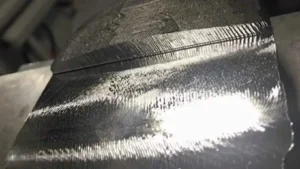
When a machine shakes, the cutting edge jumps up and down rapidly. This leaves small, ugly wavy lines across the metal surface. These lines are called chatter marks, and they destroy the smooth look of your part.
Beyond making parts look bad, shaking causes fast tool wear and ruins the bearings inside the machine spindle. If you do not stop the vibration, the machine will lose its ability to hold tight tolerances over time.
How to Fix CNC Machining Defects in Production?
Preventing machining defects requires stable setups, suitable cutting tools, controlled machining parameters, and inspection throughout production. Reliable CNC machining services should identify these risks before parts move into batch production.
You should also check the hydraulic pressure of your clamps. Making sure the machine holds the raw material with the proper force prevents parts from moving mid-cut.
Machine Adjustment Methods
If you spot errors on your part, you need to know how to fix CNC machining defects right away. Start by checking the alignment of the machine axis. Over time, heavy work can push the machine out of its true position. Adjusting the leveling legs and tightening the internal bolts can restore the machine’s precision.
Tool and Feed Optimization
To fix finish issues, you must adjust how fast the tool moves through the metal. Lowering the feed rate often gives the tool more time to cut cleanly. You can also increase the spindle speed to create smaller, neater metal chips.
Choosing a tool with a special coating can also make a massive difference. Coated tools slide through tough metal with less friction, which keeps the cutting area cool and accurate.
How to Reduce Burrs and Improve Surface Finish?
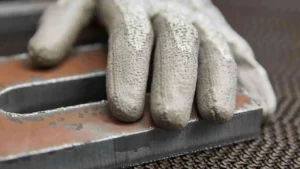
Burrs are small, sharp lips of extra metal left on the edges of a part after it is cut. Learning how to reduce burrs in CNC machining is important because these sharp edges can cut the hands of workers. Burrs happen when a dull tool pushes the metal instead of cutting through it cleanly.
They also form when a tool exits a cut at a bad angle. Soft metals like aluminum and mild steel are highly prone to building large burrs during drilling and milling actions.
Deburring Methods
To get rid of these annoying sharp edges, factories use several standard cleaning steps after machining is done:
- Manual deburring: Workers use small hand blades to scrape the sharp edges off each part.
- Brushing: Large wire wheels spin against the metal to smooth down the rough borders.
- Tumbling: Parts go inside a vibrating bowl filled with small ceramic stones to rub the burrs away.
- Polishing: Soft cloth wheels and special wax make the metal edges shine and feel smooth.
How to Troubleshoot CNC Machining Errors Step by Step?
When a machine stops working right, you must use proper CNC machining troubleshooting steps to find the root cause. Do not just guess what is wrong with the setup. Stop the machine safely and look closely at the last part that was made.
Measure the part with digital calipers to see exactly where the size is wrong. Check the computer screen for any error codes or warning lights. By tracking the problem logically, you will save hours of wasted time.
Causes of Errors
When you are fixing tolerance issues in CNC machining, you are dealing with small dimensional errors. These occur when the machine overheats during the day. The internal components of the CNC machine expand slightly as the metal parts heat up.
This thermal drift of the cutting spindle affects the position of the cutting spindle. Other causes are worn lead screws or loose drive belts that cause backlash when the machine reverses direction.
TABLE 2: CNC Troubleshooting Solutions
The table below provides quick solutions for daily CNC machining troubleshooting on the shop floor.
| Problem | Solution | Result |
|---|---|---|
| Vibration | Improve clamping | Stable cutting |
| Poor finish | Replace tool | Smooth surface |
| Size error | Recalibrate machine | Accurate parts |
| Burrs | Deburring process | Clean edges |
| Tool wear | Replace cutter | Better quality |
Corrective Checklist
Use this quick three-step checklist whenever you need to fix a bad machining trend:
- Tool condition check: Look at the cutting edge under a bright light to check for tiny chips or dull spots.
- Program verification: Read through the lines of G-code to ensure no travel distances were entered incorrectly.
- Fixture alignment: Use a dial indicator to prove that the vise or clamp is perfectly straight and level.
How to Prevent Chatter and Tool Vibration Issues?
The first step is to securely attach your CNC to a solid, thick, concrete factory floor. This prevents external movement of building shakes into the cutting area.
Keep your machine ways clean and well-oiled, so the heavy iron blocks move smoothly without any jerking motions. The more massive and sturdier your machine, the less chatter will be visible on your parts.
Tool Holding Improvements
If you are using a smaller machine, it’s important that you know how to stop tool chatter on a CNC lathe. Always hold the cutting tool as short as possible within the tool post. A tool that sticks out too far will act like a spring and begin bouncing.
Utilize good-quality collets and tool holders that will secure the cutter evenly around the entire round shank. This helps to counterbalance the spinning weight and helps to prevent any wobbling at high speeds.
Conclusion
Controlling and fixing CNC machining defects is a daily duty for every high-quality machine shop. When you pay close attention to the small details, you keep your production line moving fast. By learning the skills needed for CNC machining troubleshooting, you can identify problems before they can become costly mistakes for your company.
Keep in mind the importance of the tools, programming, and vibration on the quality of your final product. You can make incredible success with your machines so long as you keep them clean, check your G-code and change worn cutters.

Improve Your CNC Machining Quality Today!
Send us your drawings, material requirements, tolerances, surface finish, and production quantity. YD Rapid will review the machining risks and provide a quotation based on your part requirements.
Do you want to stop losing money on bad parts and old tooling methods? Take action now to reduce CNC machining problems on your shop floor.
Start by training your team on these basic troubleshooting steps and setting up a tool replacement plan.
Frequently Asked Questions
Why Do Worn Cutting Tools Hurt Your Part Quality?
Old and dull tools cannot be cut cleanly. They push against the metal instead of slicing it. This extra force bends the part and creates bad sizes. It also makes the metal hot, which leaves rough edges and ruins the shape.
What Causes a Bad and Rough Surface Finish?
A rough finish happens when you use dull tools or move them too fast. Shaking machines and poor cooling oil also leave bad marks. Sometimes, metal chips get trapped under the tool and scratch the smooth face of your part.
How Can You Stop a CNC Machine From Shaking?
To stop shaking, make sure your clamps hold the metal tight. Keep the cutting tool short so it does not bend. You should also lower your cutting speed or bolt the machine firmly to a thick concrete floor.
What Is the Best Way to Fix Wrong Part Sizes?
First, check your computer code for mistakes. Next, use tools to test if the machine parts are straight. You must also change your old cutters and make sure the machine stays cool so the metal does not expand.